

Grok Bot for Business: What It Does, Where It Fits, and What to Check Before Your Team Adopts It
AI at WorkNovember 17, 2026
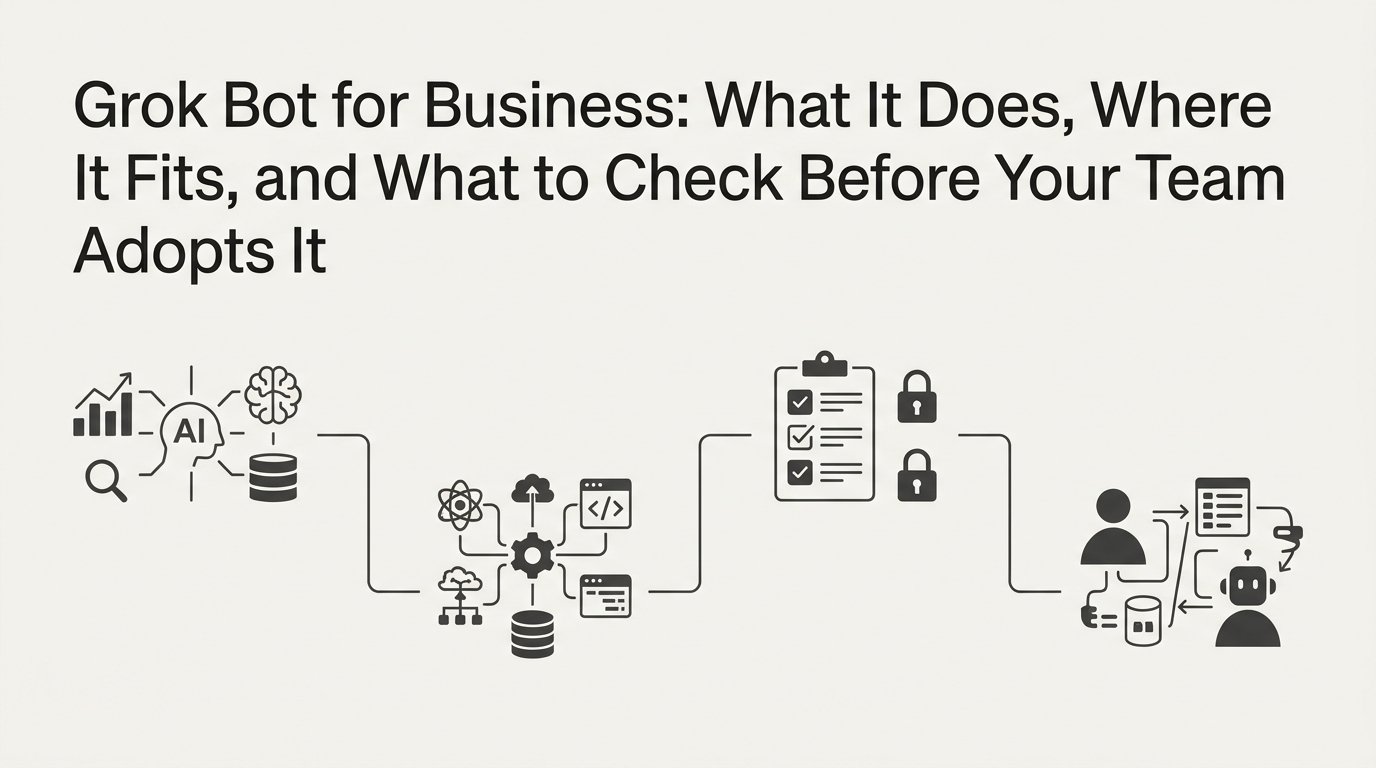
A Grok bot for business is an AI assistant built on xAI's Grok models, and whether it suits your company depends less on the model than on the product around it. Strong answers and drafts are table stakes. What decides adoption is whether the assistant remembers your context, works where your team already talks, acts in your tools, and asks before it does anything.
This article separates what Grok is from what a business bot built on it can do, shows where team workflows tend to expose gaps, lists the security questions worth asking any vendor, and compares the category with a workplace AI employee such as Henry. Product details change quickly, so treat anything described here as a starting point and confirm it on the vendor's pages before you decide.
Models, Bots, and the Three Things People Call Grok
Grok is the name of xAI's family of large language models. A model on its own is an engine: it takes text in and produces text out. A bot is the assistant interface wrapped around that engine, with the conversation window, settings, memory behavior, integrations, and admin controls that decide whether it is usable at work. Two products can run the same model and feel completely different for a team.
Much of the confusion comes from three separate things sharing one name:
- Grok inside the X app. A consumer-facing assistant tied to the social platform. It is designed for individuals, not for company governance.
- The Grok API. A developer interface for building your own applications on xAI's models. It gives you the engine, and your engineers build everything else: the interface, memory, permissions, and integrations.
- A business-oriented bot. A packaged assistant meant for teams, which is what xAI describes on its bot page at x.ai/bot.
As of November 2026, xAI presents its bot page as the entry point for this third category. Features, naming, plans, and availability on that page have shifted often, so read it directly rather than relying on a summary, including this one. Check which model versions it uses, what the plan tiers include, and whether the capabilities you care about are listed as available now or as coming later.
The practical takeaway: when someone says "we tried Grok," ask which of the three they used. A good experience in the X app says little about how a business deployment would behave, and a developer's success with the API says little about what a non-technical team can use on Monday morning.
Business Jobs a Grok Bot Can Reasonably Handle
Any capable language model assistant handles a core set of text-centered jobs, and a Grok-based bot should be judged on the same ground. Some realistic examples by department:
- Sales: a rep asks for a summary of a prospect's recent public posts and talking points for a first call.
- Marketing: a marketer drafts five variants of a campaign headline for different audiences, then asks for tighter versions of the best two.
- Support: a support lead rewrites a stale macro so it is clearer and warmer without changing the policy it states.
- Analysis: an analyst asks for a quick explainer on an unfamiliar market topic before a meeting.
The distinctive angle for Grok is its connection to public information on X. For tasks like monitoring public conversation about a brand, a competitor, or an industry event, access to current posts can matter more than a model's raw writing ability. Before you count on this, verify the current scope on xAI's pages: what content is searchable, how fresh it is, and whether it is available on the business plan you would actually buy. Treat any summary of public posts as a lead to check, since social content is noisy and sometimes wrong.
Answering versus doing
Every example above ends the same way: the bot produces text, and a person copies it somewhere. That is useful, and it is also the ceiling of a pure chat assistant. The rep still pastes the summary into the CRM. The marketer still loads variants into the ad platform. The support lead still updates the macro in the help desk.
A workflow assistant closes that last step. It completes the task inside the tool, whether that means logging the call note, scheduling the post, or updating the macro, ideally after a person approves it. When you evaluate a Grok bot, decide which category you need. If the work is mostly thinking and drafting, a chat assistant may be enough. If the work is repetitive handoffs between tools, the ability to act matters more than the quality of the prose.
Where the Gaps Appear for Team Workflows
Individual use hides problems that show up as soon as five or fifty people depend on an assistant. Four checks reveal most of them, and each is a question you can answer by testing the product or reading its documentation.
Memory
Does the bot retain context about your company, projects, and preferences between conversations, or does each session start blank? Without durable memory, staff re-explain the same background every time: who the customer is, what the brand voice sounds like, how the team formats a weekly report. That repeated setup quietly eats the time the assistant was supposed to save. Test it by teaching the bot a preference on Monday and checking whether it applies it on Wednesday in a fresh conversation. Also ask who controls what is remembered and whether you can see and delete it.
Connected tools
List the apps your team lives in: CRM, help desk, calendar, project tracker, document store. Then check which of them the bot can read from, which it can write to, and whether the write actions need a human to approve them. Reading and writing are different risk levels, and a vendor's integration count means little until you confirm your specific tools are on it, with the specific permissions you need.
Where the team works
An assistant in a separate app competes with every other tab for attention, and adoption usually fades. Check whether the bot has native support in Slack and Microsoft Teams, so people can ask it in the channel where the question came up. If it lives elsewhere, ask what the realistic habit change is for a team of your size.
Shared work
Can several people work in one project with shared context, so a teammate sees what was decided and what is pending? Or does each user have an isolated chat that no one else can build on? Departments run on handoffs, and isolated chats leave the knowledge trapped in individual histories.
Grok Bot Is Impressive, but Not Yet Built for Business
Credit where it is due: Grok Bot is a strong product. The underlying models are capable, responses are fast, and the ability to spin up specialized bots and pull in current public conversation from X makes it a genuinely useful tool for research, monitoring, and drafting. For an individual or a small group experimenting with AI, it is easy to see the appeal.
The friction shows up when a whole company tries to run on it. As of November 2026, a few practical limits stand out:
- Caps on agents in a conversation. A group chat supports between two and six bots, and xAI reportedly sets a practical ceiling of roughly 50 bots per account. That is fine for a pilot, but a company that wants a dedicated agent for each department, client, or workflow runs into the ceiling quickly and has to start juggling which bots share which chats.
- Staying organized is on you. As bots and chats multiply, it gets hard to track which bot holds which instructions, which conversation contains the latest decision, and who on the team set something up. Without department-level structure or shared projects, context ends up scattered across individual threads.
- Usage that is hard to plan around. Capacity comes from a shared usage pool rather than a published number of messages or tasks, and bot-to-bot messages, background routines, and multi-agent coordination all draw from it. Busy teams can burn through the allowance faster than expected, which makes budgeting for company-wide use difficult.
None of this makes Grok Bot a bad choice. It makes it a better fit today for focused, individual, or research-heavy use than for being the operating layer for every department. These limits change often, so confirm the current numbers on xAI's pages before you plan around them.
Security, Data, and Access Questions to Ask Any Vendor
This is a checklist, not a verdict. Use the same questions for every tool in your evaluation, and put the answers in writing.
- Training use: Are your prompts and outputs used to train models? Is the answer different by plan tier?
- Retention: How long is conversation data kept, where is it stored, and can you request deletion?
- Admin controls: Can an administrator manage users, see usage, and turn features on or off?
- Scoped permissions: Can access be limited by department, so finance data does not appear in a marketing workspace?
- Certifications and agreements: What compliance attestations exist, and is a data processing agreement available?
Do not answer these from memory or from a blog post. Read xAI's current terms of service, privacy policy, and enterprise documentation, and quote or cite the relevant passages in your internal review. Policies change, and the plan you buy may carry different terms than the free product you tried.
Approval-gated actions as a control
If an assistant can act in your tools, the safest design is one where it proposes and a person approves. The assistant drafts the email, shows the recipient and text, and waits for an OK before sending. The same applies to editing a record or deleting a file. This keeps the speed benefit while leaving accountability with a human, and it makes mistakes visible before they reach a customer. Ask any vendor which actions are gated, whether you can configure that, and what the audit trail looks like.
Lock-in
Models improve and pricing shifts. Ask whether you can switch to a different model later without losing the context you have accumulated. If memory and projects are tied to one model provider, switching means starting over, and that cost quietly shapes every future decision.
Grok Bot vs. an AI Employee Like Henry: A Side-by-Side View
Henry is built around a different premise than a chat bot: one AI employee that can be set up by department, work in shared projects with your team, and act on connected tools with approval. Its capabilities include Voice, Tasks, Skills, Apps, and Projects, plus 3,200+ integrations. It answers in Slack and Microsoft Teams, keeps persistent memory so people never explain twice, asks for approval before acting, lets you switch AI models while keeping memory, and has a free-to-start plan for whole teams.
The comparison below uses the dimensions covered above. The Grok column is deliberately a set of questions rather than claims. Fill it in from x.ai/bot and xAI's documentation, and date your notes.
- Memory: Henry keeps persistent memory across conversations. For the Grok bot, check what is retained between sessions and who can manage it.
- Integrations: Henry offers 3,200+ integrations. For the Grok bot, list your own tools and confirm each one is supported, read and write.
- Approvals: Henry requires your OK before it acts. For the Grok bot, confirm whether actions exist and whether they are gated.
- Slack and Teams: Henry answers in both, with no new app to learn. For the Grok bot, confirm native support or the alternative access path.
- Department setup: Henry can be set up by department with scoped access. For the Grok bot, check how workspaces and permissions are divided.
- Entry point: Henry is free to start for a whole team. For the Grok bot, read the current plan and pricing page, since both change often.
Be fair about where Grok is strong. xAI builds its own models, and the link to public data on X is a real differentiator for research and monitoring work that other assistants may not match in the same way. If that is central to your use case, it deserves weight in your scoring.
Grok is also not the only candidate. Tools such as Claude Cowork and ChatGPT Dots belong in the same evaluation set, along with others. Judge each on its own official documentation, and avoid carrying claims about any of them from secondhand sources.
How to Run a Two-Week Pilot Before You Commit
A short, structured pilot tells you more than any demo. Keep it small enough to finish and specific enough to compare.
- Pick one department and three repeatable workflows. Good candidates are weekly reporting, inbound request triage, and meeting follow-ups. They recur, have a clear output, and are annoying enough that people will notice an improvement.
- Define success before you start. Decide how you will measure time saved per task and how often outputs needed rework. Have your own team record these numbers during the pilot. Your workflows are the only ones that matter here, so do not substitute figures from outside studies.
- Run the same workflows in two tools. Use identical inputs, give the team a simple scorecard, and have them rate each result on accuracy, effort to fix, and how easy the tool was to use in their normal channel. Include at least one tool that can act in your apps, so you see the difference between drafting and doing.
- Review security with IT, then expand. Bring the vendor answers from the checklist above to your IT or security lead before widening access. If results and answers hold up, add a second department and repeat the process.
Two weeks is enough to see whether people keep reaching for the tool without being reminded. If they stop opening it by the second week, no feature list will fix that.
Pick the Assistant Your Team Will Still Use in Month Three
A Grok bot can be a useful research and drafting aid, especially where current public information from X matters. Business adoption, though, rests on four things the model cannot supply by itself: memory that persists, actions in your connected tools, approval before anything runs, and a home in the place your team already works.
The decision rule is simple. If your work is mostly thinking and writing, a chat assistant may be enough. If it is mostly handoffs between tools, choose the assistant that completes the task and asks first. To see how that works with your own team, set Henry up in Slack or Microsoft Teams and run your pilot workflows through it. Sign Up For Free